KM University

Healthcare Americas, Inc.

 Global
Sign In
Sign In
ResetPassword
Reset Password
Register
  • Home
  • Online User Courses
    • AeroRemote™
    • CR
      • REGIUS® SIGMA I / II User
      • CS-7 REGIUS® XPRESS® & Nano CR User Training
      • Understanding Digital Technologies
    • DR Retrofits
      • Aero Storage User Training
      • CS-7 Procedure Code Mapping Training [UE13K05]
      • CS-7 with AeroDR® End User Training
      • Understanding Digital Technologies
      • CS-7 AeroDR® Portable User Training
      • AeroDR® Panel Handling and Cleaning
    • Healthcare IT
      • Symmetry Sync
      • OPAL
    • X-Ray Systems
      • U-Arm and Straight Arm Positioning Guides
  • Online Service Courses
    • Printers
    • CR
      • CS-7 REGIUS® CR Connections Training [UE13K05]
      • REGIUS® Sigma I/II Service Training [UE13K05]
      • REALISM™ Image Processing Training [UE13K05]
    • DR Retrofits
      • Ultra 6.0 Service Training
      • CS-7 One Shot Stitching – Rev 2 (Updated 12-15-25) [UE13K05]
      • FPD Maintenance Tool for AeroDR Detectors [UE13K05]
      • DI-X1 V1.31 Release
      • Registration Key for CS-7/AeroDR [UE13K05]
      • R3 Remote Maintenance: Installation & Configuration on Ultra
      • Aruba Access Point FW Update Procedure [UE13K05]
      • Windows Update Patch Installation [UE13K05]
      • Ultra RIS and PACS Configuration [UE13K05]
      • Ultra AeroDR Panel Calibration [UE13K05]
      • Ultra AeroDR Retrofit Installation and Service Training [UE13K05]
      • Ultra Software Upgrades [UE13K05]
      • Ultra with iRay Panel Install/Service Course [UE13K05]
      • DI-X1 V1.30 Training
      • CS7 Version 1.41R00 Release
      • AeroDR Convertible Package
      • CS7 Version 1.40R00/HL and SL Detector
      • CS-7 V1.38R00 (Sys_50) Upgrade/AeroDR HD2 Detector
      • iRAY WIRELESS PANEL SERVICE BULLETIN
      • CS-7 V1.37R00 (Sys_049) Update Training
      • DDR with IWS and RADSpeed PRO [UE13K05]
      • Introduction of New AeroDR Hardware
      • Introduction of Wincomm WMP-197V PC for AeroDR® Portable
      • REALISM™ Image Processing Training [UE13K05]
      • Intelligent Grid (Scatter Radiation Suppression)
      • AeroDR® Wireless Survey Using inSSIDer 2.0
      • DAP Meter Installation [UE13K05]
    • X-Ray Systems
      • Ultra 6.0 Service Training
      • KDR-AU and Primary U-Arm Calibration FW V37 and Higher [UE13K05]
      • FPD Maintenance Tool for AeroDR Detectors [UE13K05]
      • R3 Remote Maintenance: Installation & Configuration on Ultra
      • KDR Flex OTC Stand Calibration [UE13K05]
      • Ultra RIS and PACS Configuration [UE13K05]
      • Ultra AeroDR Panel Calibration [UE13K05]
      • KDR Advanced U-Arm Field Instruction of Vue Secondary Screen Installation [UE13K05]
      • Ultra Software Upgrades [UE13K05]
      • KDR U-Arm Shock Replacement Procedure
      • KDR U-Arm Stand Calibration FW 34 and Below[UE13K05]
      • Ralco Collimator Camera Configuration [UE13K05]
      • CPI Generator GenWare Service Tool and Connections [UE13K05]
      • VETSMART Veterinary Table X-Ray System
    • ImagePilot
      • ImagePilot Version 1.96 Release
      • ImagePilot Version 1.95 Release
      • ImagePilot Version 1.94 Release
      • ImagePilot Version 1.93 Release
      • ImagePilot Version 1.91 Update Training
      • AeroDR® Wireless Survey Using inSSIDer 2.0
  • Live Training
    • Classroom Training Information
    • CS-7/AeroDR
    • Ultra Acquisition Station
    • X-Ray Systems
    • Live Training Calendar
  • Cursos en Español
    • Cursos Online
      • IMAGEPILOT® AeroDR® Curso de Formacion de Servicio
      • Introducción a AeroRemote™ Insights
      • Procesamiento REALISM™ con CS-7 [UE13K05]
      • DRYPRO® Sigma (Esp) [UE13K05]
      • Entendiendo la Tecnologia Digital
      • Manejo Básico y Mantenimiento Panel del AeroDR®
      • Operación básica de CS-7 / CR [UE13K05]
      • Entrenamiento para el usuario final de AeroDR® Aero Storage
  • Lectures
    • Exa Platform Improves Bottom Line and Patient Satisfaction!
    • Dynamic Digital Radiology: A New Modality in Action
$0.00
Ultra 6.0 Service Training
Gregory Guido

Description

Course Overview

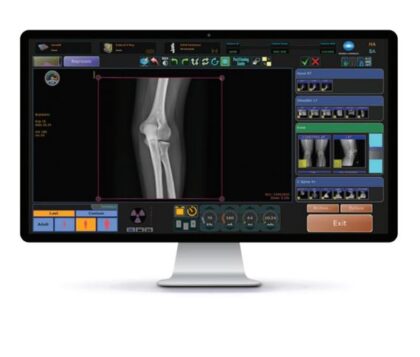
The purpose of this training is to educate the learner with the new features and changes introduced with the release of Ultra 6.0 Acquisition Software.  The main improvements of this version of Ultra are related to cybersecurity.

NOTE: The method of logging into Ultra with Service/admin permissions has changed, which is explained in this training.

Course Contents

  • Introduction of User Roles in Ultra
  • Removal of hardcoded administrator password
  • How to install, license and use the Service Login and Password Reset Utility to generate valid service credentials and reset users’ passwords
  • TLS 1.2 Implementation for DICOM Send
  • TLS 1.2 Implementation for DICOM Modality Worklist
  • Ultra PHI and sensitive data encryption
  • Digitally signed OpalUAI.xml configuration file to prevent file tampering
  • New ability to Import/Export custom annotations between Ultra systems
  • Upgrading to version 6.0

Course Prerequisite

  • Attended an in-person Konica Minolta training course containing Ultra
    or
  • Has completed the online self-paced Ultra AeroDR or iRay Retrofit Installation and Service Training course

Typical Time Needed to Complete Course

Approximately 45 minutes.

Author

Gregory Guido

Take This Course $0.00

Recent Comments

    Lessons

    Ultra 6.0 Service Training

    Take a course to view this content

    • Home
    • Courses
    • Cart
    • Privacy Policy
    • Disclaimer
    • Global Site:
    • Corporate Information
    • Sustainability
    © 2017 Konica Minolta Healthcare Americas, Inc.